Skip to content
Skip to breadcrumbs
Skip to header menu
Skip to action menu
Skip to quick search
Spaces
Hit enter to search
Help
Online Help
Keyboard Shortcuts
Feed Builder
What’s new
Available Gadgets
About Confluence
Log in
千方自助服务资料
Page tree
Browse pages
Configure
Space tools
A
t
tachments (2)
Page History
People who can view
Page Information
Resolved comments
View in Hierarchy
View Source
Export to PDF
Export to Word
Pages
…
千方自助服务资料
6、常备资料
6.11、SQL数据库相关资料
6.11.9、SQL修改sa密码
Skip to end of banner
Jira links
Go to start of banner
6.11.9.3、SQL2016修改sa密码
Skip to end of metadata
Created by
超级用户
on
Dec 08, 2025
Go to start of metadata
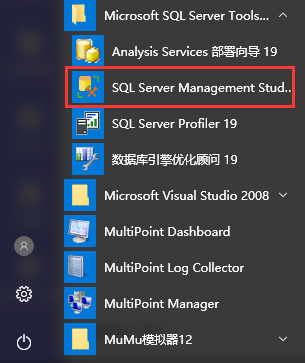
1、首先打开SQL Server Management Studio
2、安全性--登录名--双击 sa--在跳出的框里输入密码后确定即可。 如截图所示:
No labels
Write a comment…
Add Comment
Overview
Content Tools
{"serverDuration": 1098, "requestCorrelationId": "5b2d2836e5507c3b"}

Add Comment